
Day to day
Messages we send
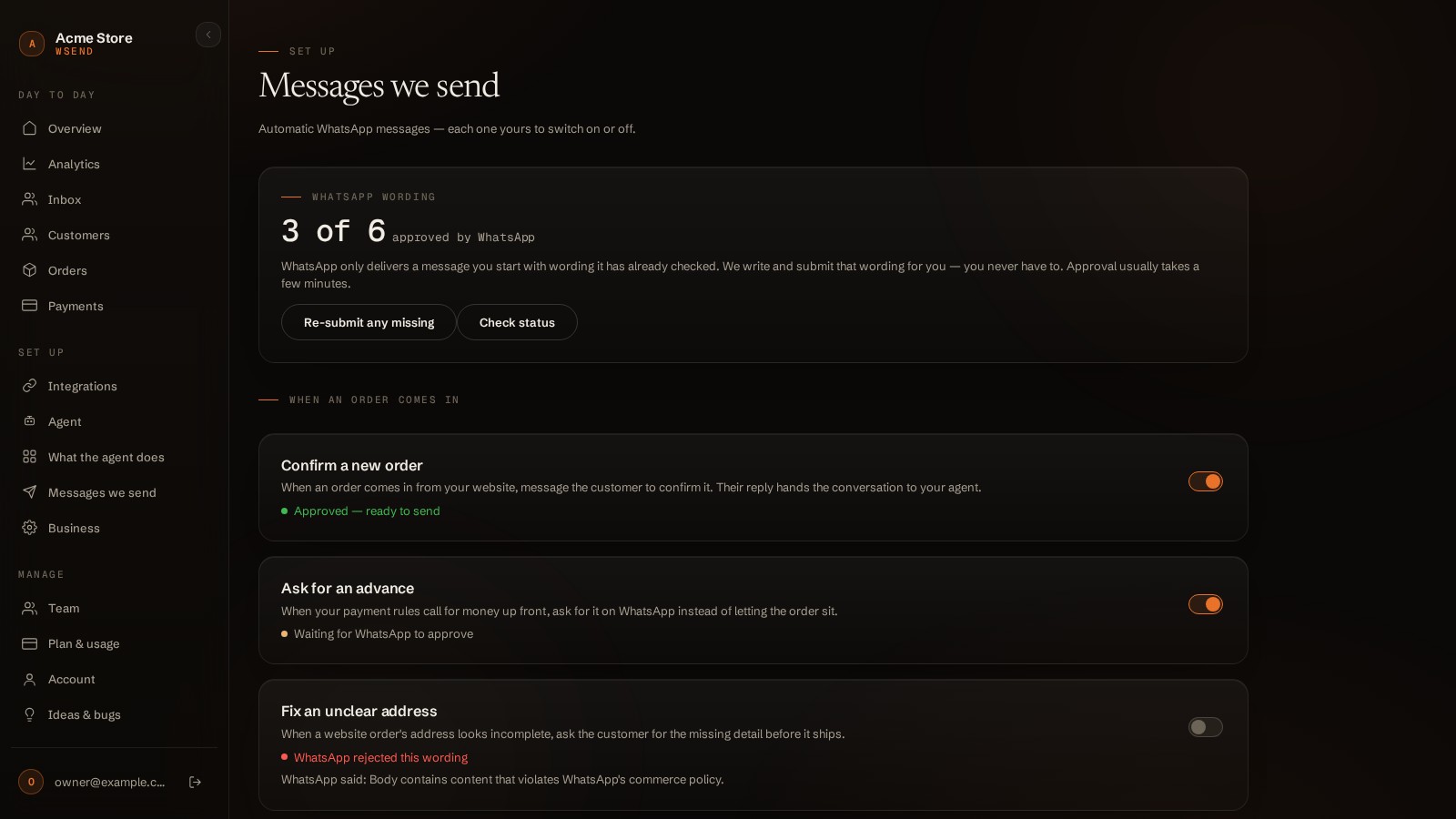
When someone orders on your website, your agent can reach them on WhatsApp instead of waiting to be asked. Each automation is a separate switch — turn on only what you want your customers to receive.
The automations
| Automation | Default | What it sends |
|---|---|---|
| Confirm a new order | On | A website order arrives → the customer gets a confirmation on WhatsApp with quick replies ("Confirm order" / "Change something"). "Confirm order" confirms it in your store and books the parcel; "Change something" lets your agent ask what to change and change the order in the chat. |
| Ask for an advance | Off | When your payment rules call for money up front, the ask goes out on WhatsApp instead of letting the order sit — it replaces the confirmation, so the customer gets one message, not two. |
| Parcel on its way | On | On fulfilment: the courier name and tracking number. A split shipment messages once per parcel. |
| Order cancelled | Off | On a cancel or refund: the news, plus a way for the customer to say it was a mistake ("I still want it"). |
| Fix an unclear address | Off | Asks for the missing address detail before shipping. |
| Ask how it went | Off | A review nudge after delivery, with a delay you control. |
- Automations fire for website orders — orders the agent already took in chat aren't double-messaged.
- Every send is deduplicated — a webhook arriving twice never messages the customer twice.
- While you have a chat taken over, automations for that customer stay silent too.
WhatsApp wording, handled for you
WhatsApp only delivers a message the business starts if the wording was approved in advance (a "template"). WSend writes and submits that wording for you — you never open Meta Business Manager. The meter at the top ("3 of 6 approved by WhatsApp") shows where things stand; Re-submit any missing and Check status are the only two buttons you'll ever need. Approval usually takes a few minutes.
| Status under a row | Meaning |
|---|---|
| Approved — ready to send | This automation really sends, any time. |
| Waiting for WhatsApp to approve | The switch can be on; sending starts the moment WhatsApp approves. |
| WhatsApp rejected this wording | WhatsApp's reason is shown right there — press re-submit after we adjust it. |
| Not created yet | Press Re-submit any missing. |
| Connect WhatsApp first | Templates live on your own WhatsApp account — connect it and re-submit. |