
Money
Payments & COD risk
Cash on delivery is the default. Your rules decide which orders must pay something first — and every payment proof passes through your hands, never the AI's.
The one setting
Dashboard → Payments → When to ask for an advance. One choice switches the whole behaviour:
| Mode | What happens |
|---|---|
| Never — every order ships as it is | Pure COD. Nothing else to configure. |
| Only risky orders (recommended) | Most customers get frictionless COD; the risky ones are asked to pay part first. |
| Every order | No order is placed without an advance. |
Below it: how much (a fixed amount, or a share of the order — 30% is the typical share) and the account details shared with customers — your bank or wallet line, sent to the customer when an advance is requested. You can also set your delivery charge and a free-above threshold here; the charge is added to every order and written onto the Shopify order as a shipping line, so your AI orders total the same as your website's.
Who counts as risky
Risk is judged from that phone number's own order history in your store — deliveries, returns, refused parcels — never from anything demographic. The rules are yours:
- Return rate — above your threshold (default 40%, only once they have real history) → advance.
- Refused parcels — your count of refused COD deliveries (default 2) → advance.
- New customer — optionally treat first-time buyers as risky; off by default.
- Order value — optionally force an advance at or above an amount.
- A shaky address — an address that fails validation twice becomes an advance ask, so a fake address costs the customer, not you.
The advance flow, end to end
- The ask
The agent quotes the advance and your account details, and asks for a screenshot when paid. The order sits in Awaiting advance — it expires on its own after 36 hours if nothing comes, with a reminder in between.
- The slip
Any image the customer sends while an advance is pending is treated as the payment slip. It is read automatically (amount, reference, method) — as a convenience, never as proof — and lands in your verification queue. Slips sent in an Instagram DM are handled the same way, and your staff WhatsApp — the forward-to number you set under Business → Your shop details — gets a ping with the slip attached.
- Your check
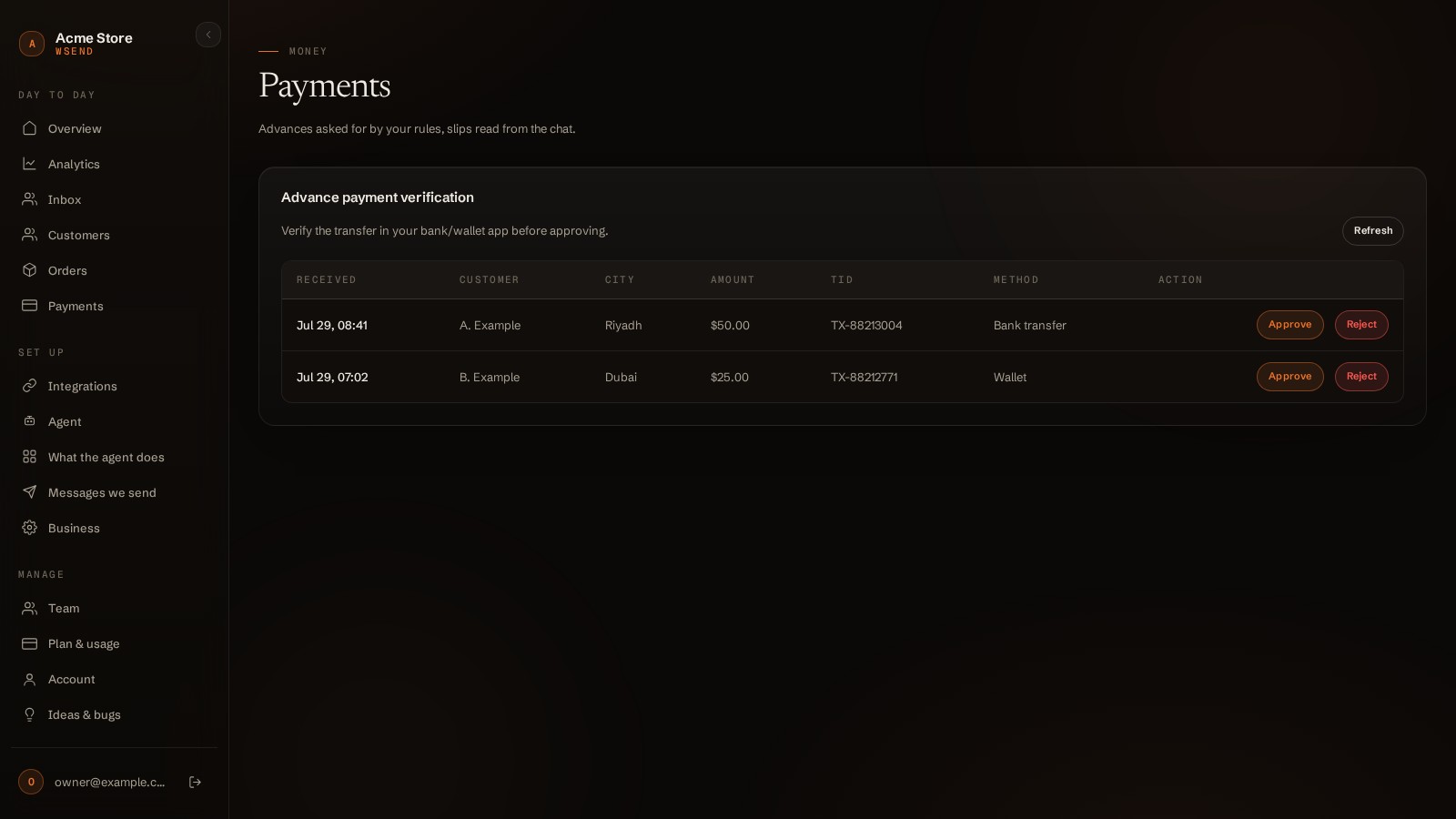
Inbox → Payments tab: the screenshot, what the slip claims, what you asked for. The screen says it plainly: "A screenshot is easy to fake. Check your bank before you approve — nothing here is proof." Type how much actually arrived and press Money received — or Not received, which tells the customer and re-arms the wait. (Dashboard → Payments carries the same queue with plain Approve / Reject buttons — the amount box lives in the Inbox.)
- The order becomes real
On approval the order is created (in Shopify, with the advance recorded on it) and the customer is told: order booked, the remaining balance is due on delivery. The verified amount you typed — not the slip's claim — is what reduces the cash the courier collects.
Good to know
- Not received tells the customer and re-arms the wait for another 24 hours — one wrong slip doesn't kill the order.
- On approval the advance is recorded on the Shopify order itself, so your store's books match the chat.
- The same one setting also powers the "Ask for an advance" automation for website orders — no second switch to remember.